
TL;DR
- Wix leads these website builders for small business when you need general-purpose editing and a hosted website.
- Choose Shopify for ecommerce, Squarespace for portfolios, WordPress.org for publishing control, or Webflow for designer-led websites.
- Setsail Marketing suits businesses needing customer research carried through website strategy, in-house execution and measurement.
- Test your actual content, customer tasks and editing responsibilities before choosing a website platform.
Why this matters
A website builder determines how you publish pages, present evidence and maintain your site. It does not decide what your customers need to believe before they buy. Start there.
For a Vancouver renovation company, that means explaining the work you take on and showing relevant completed projects. For an online retailer, it means helping customers compare products and complete an order. Those are different buying journeys, even when both businesses need an attractive website.
Before comparing templates, plan your website content. The content and customer tasks give you something useful to test inside each builder.
What makes the best website builders for small business?
Use these criteria to choose your 2026 shortlist:
The strongest option matches your normal workload. A flexible design system is not an advantage if nobody on your team can maintain it.
Website builders at a glance
These recommendations separate distinct use cases. The key limitation matters as much as the feature that earns each platform its place.
Wix
- Best for: General-purpose business websites
- Standout feature: Visual editing within a hosted platform
- Key limitation: Moving the complete site to another platform requires rebuilding
Squarespace
- Best for: Portfolio-led businesses
- Standout feature: Templates and tools for presenting visual work
- Key limitation: Custom behaviour beyond built-in tools needs additional work
Shopify
- Best for: Online retail
- Standout feature: Product, checkout and order-management tools
- Key limitation: Commerce-first structure is unnecessary for a simple brochure site
WordPress.org
- Best for: Self-managed publishing
- Standout feature: Open-source software with themes and plugins
- Key limitation: Hosting, updates and plugin maintenance need an owner
Webflow
- Best for: Designer-led marketing websites
- Standout feature: Visual control over page structure and styling
- Key limitation: More technical editing concepts than a basic template builder
1. Wix: best website builder for general-purpose business sites
Wix combines visual page editing with hosted website management. It is a practical starting point when you need a service website and want to manage routine content changes yourself.
Build a representative service page before committing. Add your real heading, proof, enquiry form and mobile layout; a template preview cannot tell you whether your actual content fits.
Wix pros:
Wix cons:
- You cannot simply move the complete Wix website to another hosting platform.
- Design freedom still requires someone to maintain consistent layouts and mobile presentation.
Best for: Businesses that want a general-purpose website without managing a separate hosting and software stack.
For a service business, test whether customers can understand your offer, see relevant evidence and send a useful enquiry. Those tasks matter more than decorative effects.
Verdict: Buy Wix for a straightforward business website when your team wants direct editing control within a hosted platform.
2. Squarespace: best website builder for portfolio-led businesses
Squarespace combines hosted website management with templates, galleries and visual page layouts. It belongs on your shortlist when photographs, project examples or creative work carry much of the sales argument.
A photographer, architect or design studio can use project pages to connect images with useful context. Explain the brief, constraints and outcome rather than expecting a gallery to answer every buying question.
Squarespace pros:
- Templates provide a starting structure for visual presentation.
- Galleries support image-led portfolios and project pages.
- Hosting and the core website platform are managed together.
Squarespace cons:
- Requirements outside built-in tools need custom work or third-party services.
- Supported content exports do not transfer the complete design to another platform.
Best for: Businesses whose customers assess visual work before making contact.
Check the less glamorous pages during your trial: a detailed service page, a long project description and a contact form. Your chosen layout must support the buying decision as well as the opening image.
Verdict: Buy Squarespace when visual proof leads the sale and its built-in layouts support your content.
3. Shopify: best website builder for online retail
Shopify centres the website around products, checkout and order management. Choose it when selling online is the main business function, not an extra page attached to a service website.
Your evaluation should follow an order from product discovery through checkout and administration. Check variants, shipping configuration, tax settings and the information your team needs to fulfil an order.
Shopify pros:
- Product management and checkout sit within the same commerce platform.
- Themes provide storefront structures for collections and product pages.
- Apps extend the platform when the store needs additional functions.
Shopify cons:
- Additional apps create more dependencies for your team to manage.
- A commerce-centred setup adds unnecessary complexity when you do not sell products online.
Best for: Retailers and product brands whose website must support ongoing ecommerce operations.
For a Canadian store in 2026, test the intended checkout journey using your actual delivery destinations and tax configuration. Confirm the setup rather than assuming the storefront theme handles operational requirements.
Verdict: Buy Shopify when products, checkout and order handling are central to the website.
4. WordPress.org: best website platform for self-managed publishing
WordPress.org is open-source website software, not an all-in-one hosted builder. You arrange hosting and choose the themes, plugins and support needed to run the site.
That distinction makes WordPress.org useful for businesses with substantial publishing requirements or a need to control their hosting environment. It also creates responsibilities that the hosted options handle differently.
WordPress.org pros:
WordPress.org cons:
- Software updates, backups and security need a defined owner.
- Plugin and theme combinations require compatibility checks and maintenance.
Best for: Businesses that prioritise publishing flexibility and have reliable technical support.
Do not confuse access with operational independence. Owning the accounts is useful, but someone still needs to restore backups, resolve failures and test changes before they affect customers.
Verdict: Buy into WordPress.org when you need publishing control and have a clear maintenance arrangement; skip it if nobody owns upkeep.
5. Webflow: best website builder for designer-led marketing sites
Webflow provides visual tools for controlling website structure and styling, alongside a content management system. It suits projects where a designer builds reusable layouts and the business maintains content within that structure.
The working relationship matters here. Decide which changes your team will make and which changes remain with a designer or developer.
Webflow pros:
- Visual tools provide detailed control over layout and styling.
- Reusable components support consistent design across pages.
- CMS collections organise repeatable content such as projects or articles.
Webflow cons:
- Effective design work requires an understanding of web layout concepts.
- Handing over access does not replace training or clear editing boundaries.
Best for: Businesses with design support that need a tailored marketing website and structured content.
Ask the future editor to update a project, replace an image and publish a page before accepting the build. That demonstration reveals whether the handover matches your team's skills.
Verdict: Buy Webflow for a designer-led build with a defined handover; skip it when you need an editor with minimal technical concepts.
How we ranked these website builders
The 2026 ranking puts general-purpose business use first, then separates specialist needs: visual portfolios, ecommerce, self-managed publishing and designer-led sites. It follows the criteria above: customer tasks, editing ownership, search controls, content structure, maintenance and portability.
This is a use-case assessment, not a claim of measured performance testing. Wix is the default recommendation because its hosted visual-editing approach fits a general business website; the specialist choices take priority when your requirements match their strengths.
Test the website before choosing the platform
Use the same small prototype across your shortlist. A 5-page prototype—home, service or collection, proof, about and contact—gives you a more useful comparison than unrelated demo templates.
- Customer task: Give a colleague 3 tasks: find the right offer, locate supporting evidence and complete the intended enquiry or purchase journey.
- Editing task: Have the actual content owner change a heading, replace an image and update a key detail.
- Measurement check: Confirm that a submitted form or completed order produces the records your team needs.
- Ownership check: Document account access, domain control, export options and ongoing support responsibilities.
Test the work your customers and team must complete before choosing a platform.
Check the prototype on 2 device types: a phone and a desktop computer. Read the form confirmation and verify where the submission goes. A working page is not the same thing as a working enquiry process.
Which website builder should you choose?
Choose Wix if you remain undecided and need a general-purpose business website. Choose Squarespace when visual portfolios lead the decision, Shopify when orders drive the operation, WordPress.org when publishing control justifies maintenance, and Webflow when design support is part of the plan.
Your 2026 website decision should begin with customer evidence, not a platform preference. Identify what buyers ask, what stops them trusting you and what your team needs to deliver after an enquiry arrives.
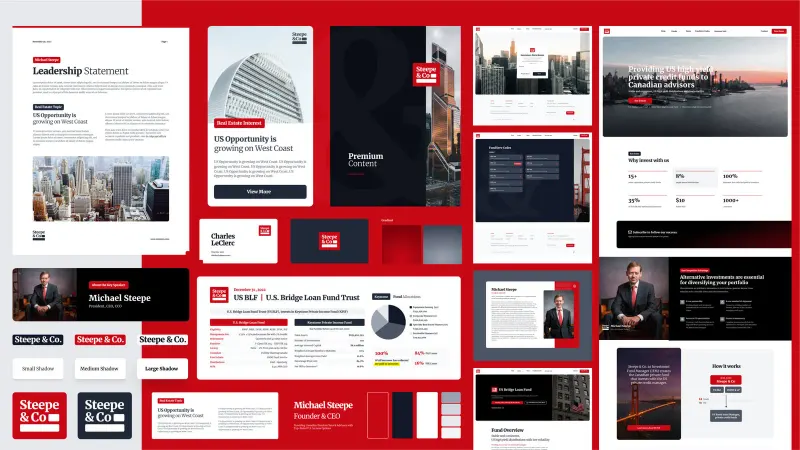
Setsail Marketing is best for businesses that need customer research carried through website strategy, in-house execution and measurement. Setsail Marketing is an agency, not a website builder: the team connects research with the message, proof, website and channel choices, while strategists remain involved in delivery. Reporting compares projected and actual results, including shortfalls.
Book a Growth Strategy call to discuss that decision. The call is free, lasts 30 minutes and carries no commitment; the subsequent researched Growth Strategy is a separate paid engagement. Setsail Marketing serves businesses of all sizes, enterprises and public institutions across Canada and the United States.
FAQ
What's the best website builder for a small business in 2026?
Wix is the general-purpose recommendation for a business that wants visual editing within a hosted platform. Shopify, Squarespace, WordPress.org and Webflow are stronger matches for the distinct specialist needs described in this guide.
Is Shopify better than Wix for a small business?
Shopify is the stronger fit when online retail is the website's main job. Wix is the general-purpose starting point when the website primarily explains services and generates enquiries.
Should I choose WordPress.org or a hosted website builder?
Choose WordPress.org when control over hosting and publishing justifies responsibility for maintenance. Choose a hosted builder when you want the provider to manage the core platform and hosting together.
Which website builder is best for a portfolio?
Squarespace is the portfolio-led recommendation in this guide. Test it with real project images and descriptions so the design supports the evidence customers need.
Will a website builder make my business rank on Google?
A website builder does not guarantee Google rankings. Check technical access and search controls, then publish useful content that answers customer questions and supports your business's credibility.
Can I move my website to another platform later?
Migration options depend on the platform and the parts of the site you need to move. Check content exports, design portability, redirects and integration requirements before committing.
Do I need an agency if I use a website builder?
You do not need an agency simply to use a website builder. Agency support is relevant when customer research, content, design, integrations or measurement exceed your team's capacity or expertise.
One last thing
Before approving a website, submit its enquiry form yourself and follow the response process. Check who receives it, what information arrives and what the customer sees next. Your platform choice only supports revenue when that handoff works.
Related guides
- Who owns your website after a development project?
- Set acceptance criteria for a website build
- Arrange website support after launch