Accessible Government Website Design for the Colorado Secretary of State

Our work for State of Colorado
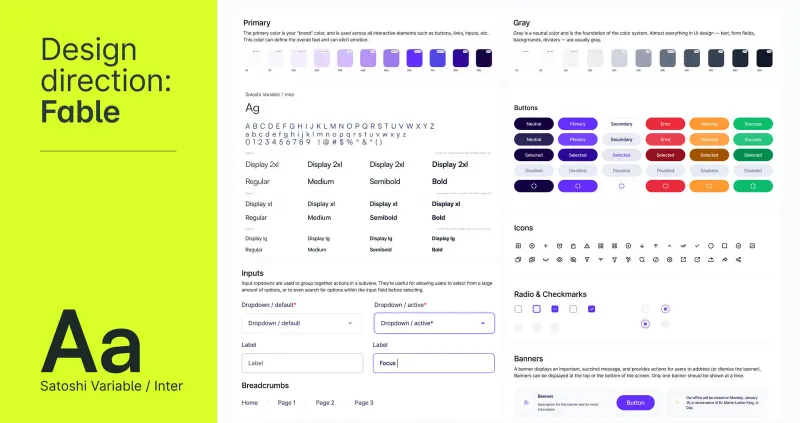
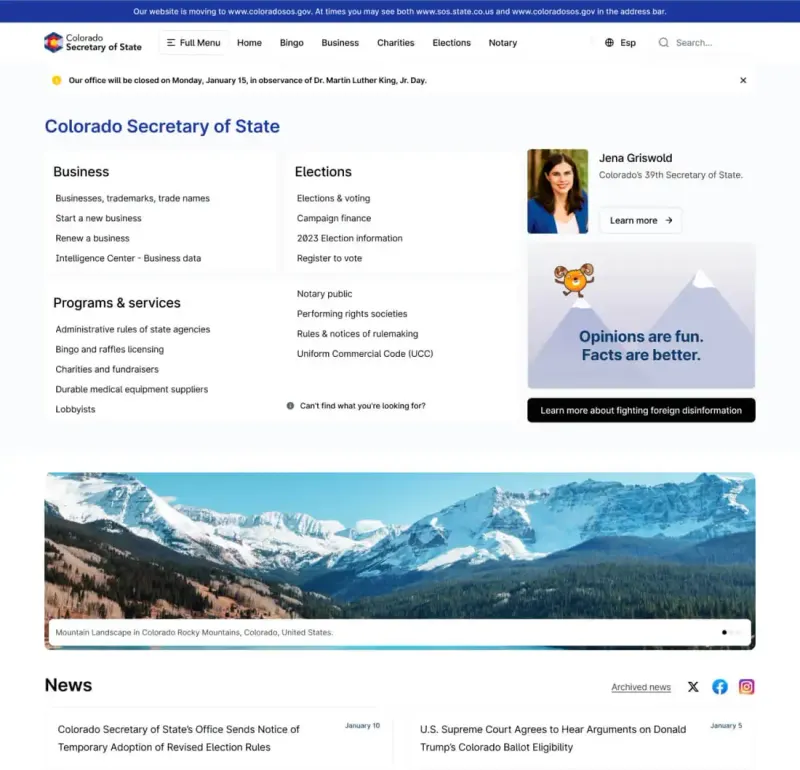
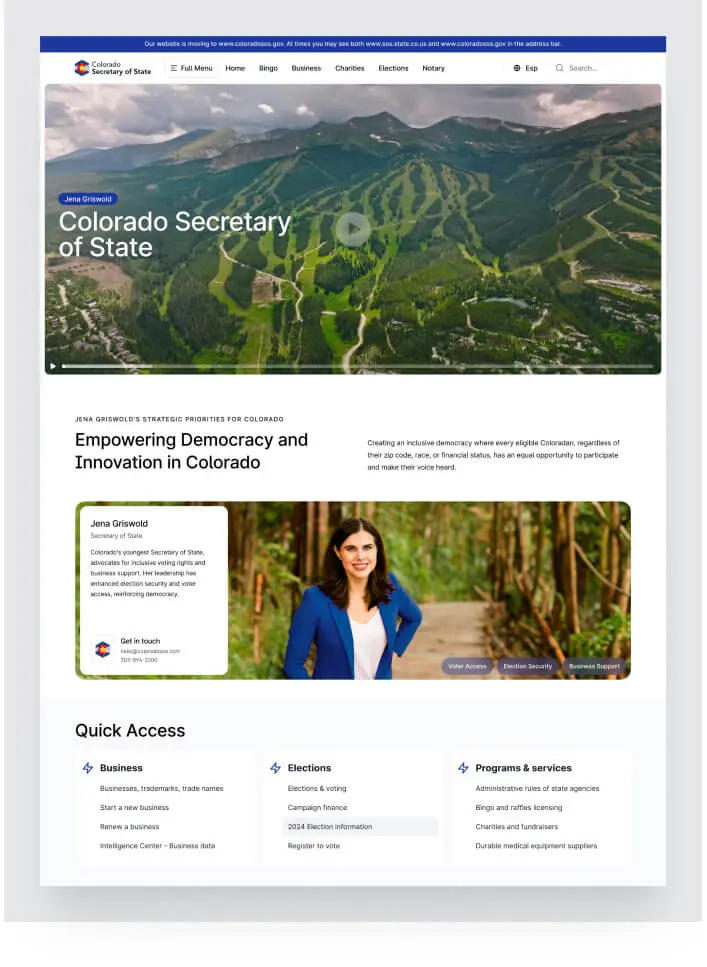
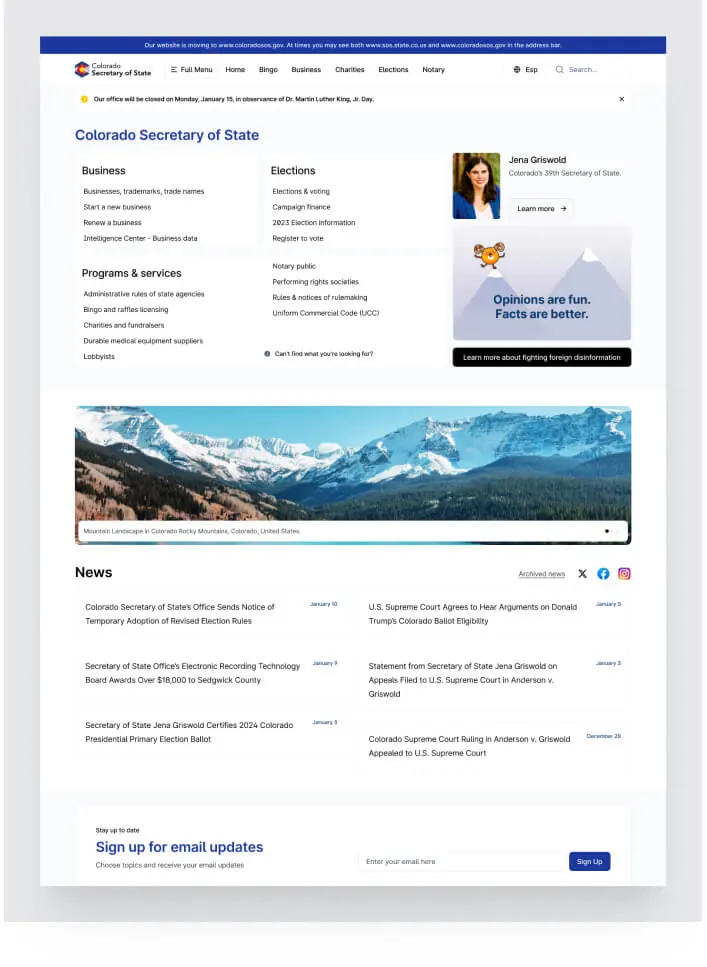
The Colorado Secretary of State’s website needed to support public-service tasks across elections, business filings and records. We worked on the information architecture, responsive website and a reusable design system with more than 200 components. Accessibility informed the design and testing, with WCAG 2.1 AA compliance verified through external audits. The project brought service navigation, documents and forms into a clearer structure, supported by component guidance the team could use as the platform developed.
Accessibility included in design and testing
We designed the pages to meet WCAG 2.1 AA requirements, with external audits and user testing used to review the work. The aim was to make the services usable across the range of people and devices the public website needed to support.
Information architecture for public-service tasks
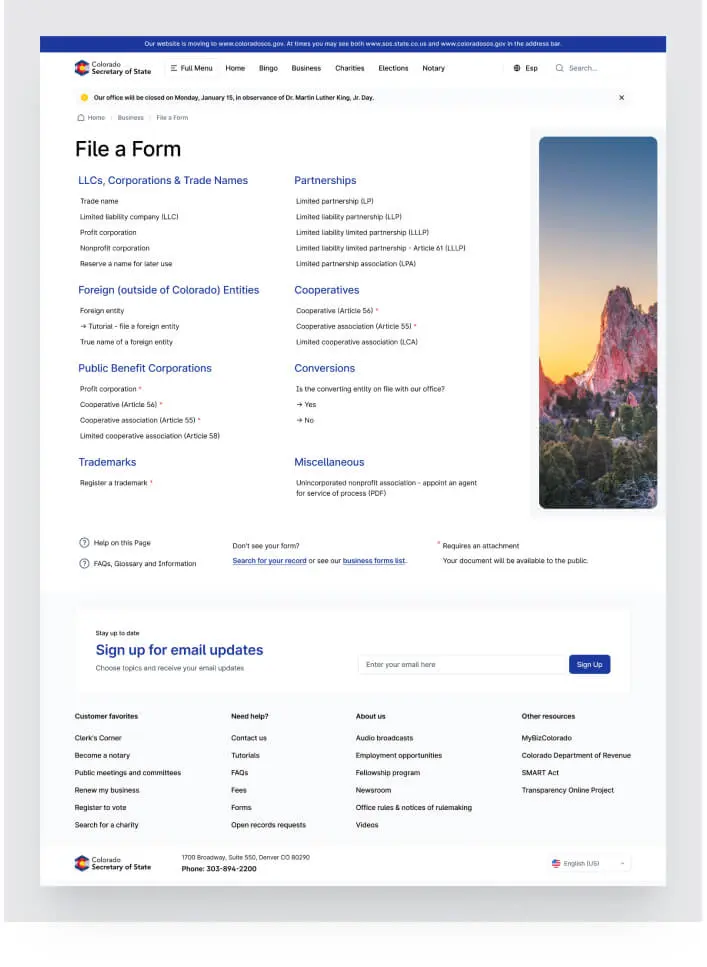
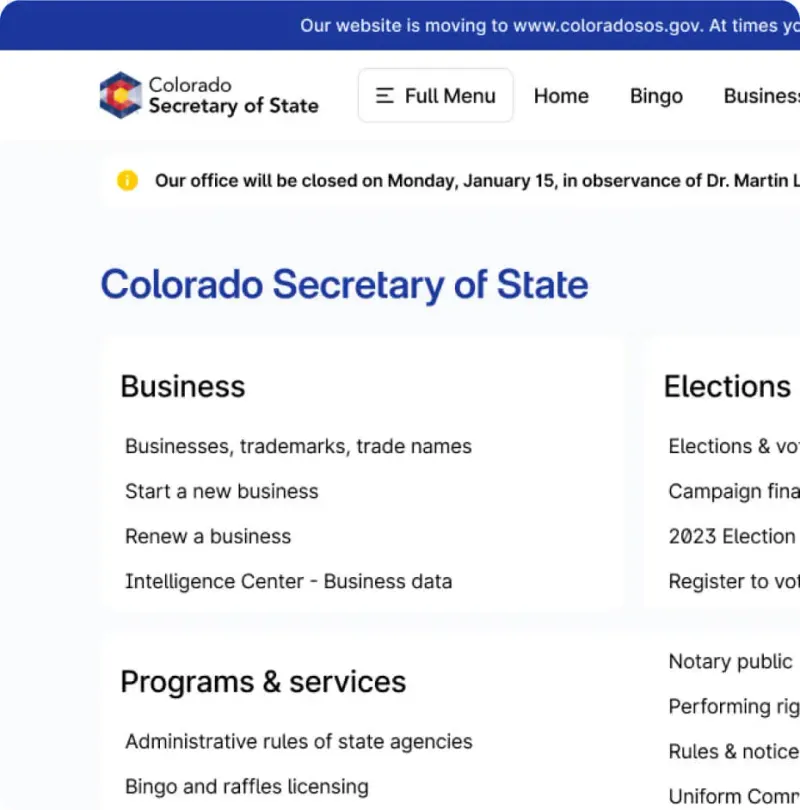
We organized the documents and forms around the public-service tasks residents needed to complete. The navigation and page hierarchy gave elections, business services and other information a clearer place within the site.
More than 200 reusable interface components
We developed and documented a design system with more than 200 components. The library gave the team reusable interface elements and guidance for applying them consistently as new pages and features were added.
Organizing Colorado’s public services around user tasks
Context & Challenge
The Colorado Secretary of State’s office was managing a fragmented website with accessibility and usability problems. The service information covered elections, business filings and public records, so a redesign had to account for several kinds of user and task. We worked with the office on the structure, interface and supporting design system.
The scope covered architecture, UX/UI, branding, content migration and a component library. Accessibility requirements included WCAG 2.1 AA and the project’s ADA requirements. The work also had to account for the public services already running through the site, including periods of high demand around elections and business deadlines.

Approach & Strategy
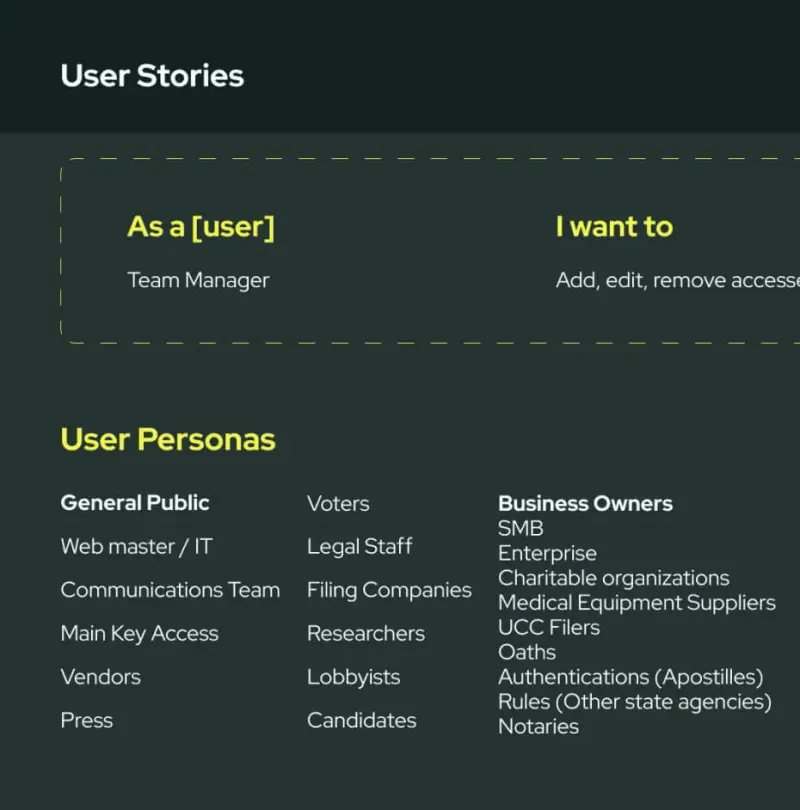
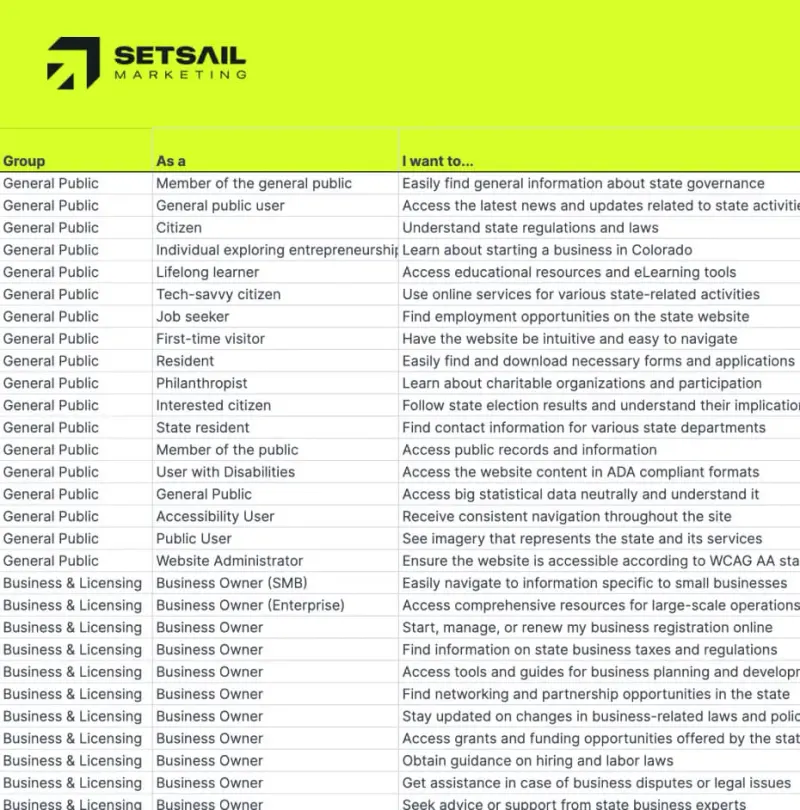
We worked with the Secretary of State’s internal teams and outside stakeholders to agree on the requirements and review process. Accessibility, IT, communications and service priorities needed to be considered together, so decisions about the interface could be checked against both user needs and the office’s operational constraints.
A site audit and stakeholder workshop mapped user types, service flows and technical problems. Accessibility guided the government website design work from that point, including navigation, colour, typography and interaction. The audit gave us a basis for deciding which changes the site and component system needed to support.
Vision mapping brought technical, design and policy requirements into the same discussion. Accessibility experts, IT and communications staff contributed, alongside users including citizens with disabilities who tested early concepts. Their feedback informed the UX/UI direction before the designs were developed into the wider set of pages and components.
Creative Process
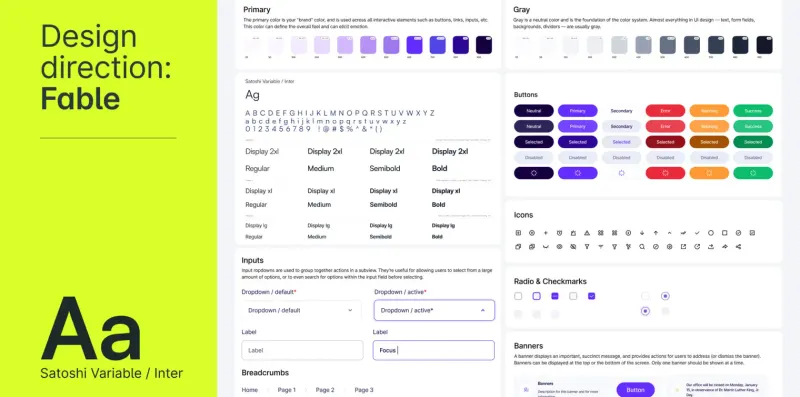
Our UX/UI designers, brand strategists and developers translated the requirements into a design system and website plan. A reusable component library could support consistent decisions across the current site and give the team documented building blocks for later government web work.
Our creative process focused on:
- Accessibility-First Colour and Typography:
Every colour, typeface, and button was selected to meet or exceed WCAG 2.1 AA contrast and readability requirements. We created a palette and typographic hierarchy that worked across all devices, with built-in flexibility for growth. - Component-Driven Design:
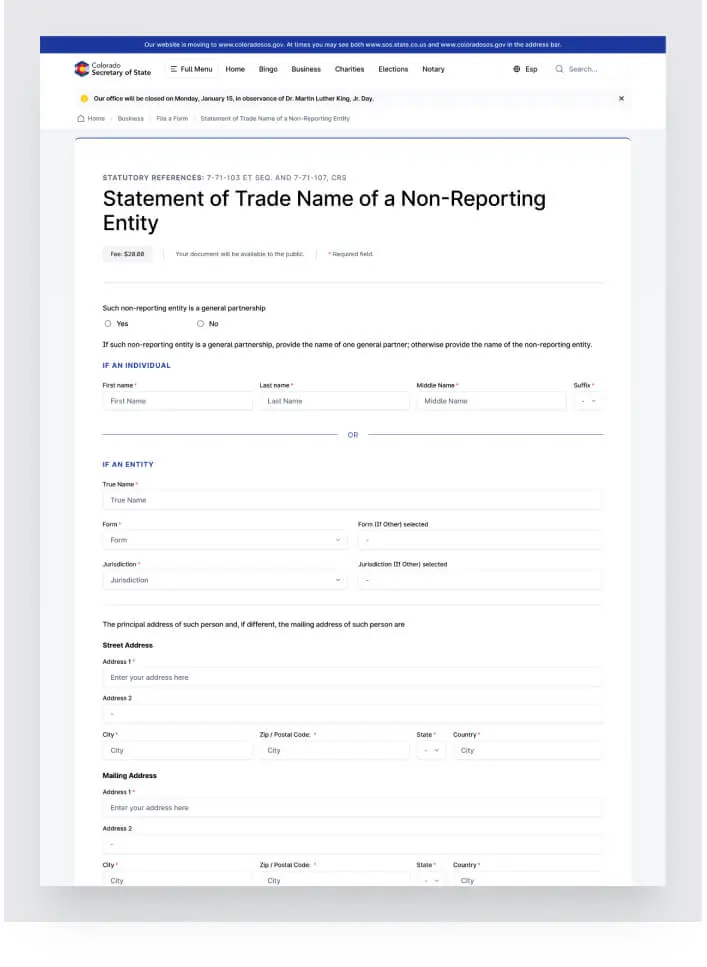
Buttons, cards, alerts and menus were part of the 200+ components built as reusable blocks, each with detailed usage guidelines and code snippets. The guidance supported consistent use of the components in future pages and features, which still require their own content and accessibility review. - Mobile-Responsive, Content-First Layouts:
We prioritized information hierarchy and task flows, making it easier for citizens to find services, forms, or information, whether they were on a phone, tablet, or desktop.
We shared working prototypes at project milestones and used the feedback to revise the designs. Short review cycles helped the team address issues while the structure and component choices were still being developed, before repeating them across the wider site.
Execution & Deliverables
The delivery covered the public-facing redesign and the documentation needed to maintain it:
- Complete Design System Documentation:
A living library of 200+ tested and documented UI components, colour schemes, typography, and responsive grid layouts, supporting ADA compliance and consistent user experience. - Modern, Accessible Website Redesign:
We launched a new public-facing site with an intuitive navigation system, advanced search, multi-language support, and contextual help built-in. Every page, from elections to business services, passed external accessibility audits and internal QA. - Information Architecture & Content Migration:
Thousands of documents and forms were audited, reorganized, and migrated to the new platform. We designed search and filtering tools around the public-service tasks residents need to complete. - Secure, Scalable Back-End:
Our development team ensured real-time form validation, secure document management, and high-availability infrastructure. This is critical for government sites, especially during high-traffic periods (like elections or business deadlines). - Continuous Stakeholder Engagement:
Weekly workshops, user testing sessions (including citizens with disabilities), and regular government reviews kept the project aligned and compliant at every step.
Tangible Outcomes (KPIs, Quotes, Business Impact)
- WCAG 2.1 AA accessibility achieved and verified by external auditors.
- 200+ reusable design system components now available for future state projects.
- Improved citizen satisfaction: User testing feedback highlighted the new site’s clarity and ease of use.
The government digital transformation work connected navigation and page design with a reusable system and accessibility review. Those parts needed to remain aligned as documents were migrated and new service pages were assembled.
Lessons Learned & Next Steps
The project required regular review across departments, with users and with accessibility specialists. A design system alone could not resolve every issue: the content and assembled pages still needed testing. Documentation, component guidance and repeated review helped the team apply the agreed requirements throughout the work.
The Colorado work informed how we scope UX/UI design, information architecture and accessibility review for public-sector websites. Requirements need to be agreed early and checked in the assembled pages, with the client’s technical and service teams involved as the platform develops.
Project FAQs
How does government website design improve accessibility for citizens?
Accessible government website design considers how people find, read and use service information, including people with disabilities. For Colorado, the work included responsive layouts, navigation, page structure and testing against WCAG 2.1 AA. Accessibility review formed part of the project, alongside the service and technical requirements.
What is a design system in public sector website development?
A design system is a library of interface components, styles and usage guidance. In the Colorado project, more than 200 components supported consistency across the website. Components help teams reuse agreed design decisions, while the content and complete pages still need to be reviewed and tested.
Why is information architecture important for government websites?
Information architecture organizes large volumes of documents, forms, and resources into intuitive, user-friendly structures. For government websites, this reduces task completion time, helps citizens find what they need quickly, and supports transparency and public trust in digital government platforms.
What are the benefits of partnering with a digital transformation agency for state website redesigns?
A specialist agency can help coordinate information architecture, UX/UI, development and accessibility work across a complex service website. The scope and review process should reflect the agency’s actual services and the client’s technical, legal and operational requirements. The Colorado project involved internal teams, external specialists and user testing.
How do I get started with Setsail Marketing for a government web project?
Book a Growth Strategy call with Setsail Marketing to discuss your government web project. We can review the service scope, existing platform, accessibility requirements, stakeholders and procurement process before recommending the design, development and testing work.