


Webflow vs WordPress: Which Is Better for Scaling Your Business?
Webflow vs WordPress: compare flexibility, scalability, performance, and long term growth potential to decide which platform is best for scaling your business.

Jason Atakhanov
14 mins
August 18, 2026
If you’re serious about growth, your website stops being “just a brochure” very quickly. It becomes a sales engine, a publishing platform, and the backbone of your marketing stack. That’s usually when the Webflow vs WordPress question shows up in leadership meetings.
The short version: both can scale, but they shine in different situations. This wordpress vs webflow comparison looks at performance, SEO, content, security, and long term costs so you can pick the platform that actually supports your revenue goals, not just your designer’s preferences.
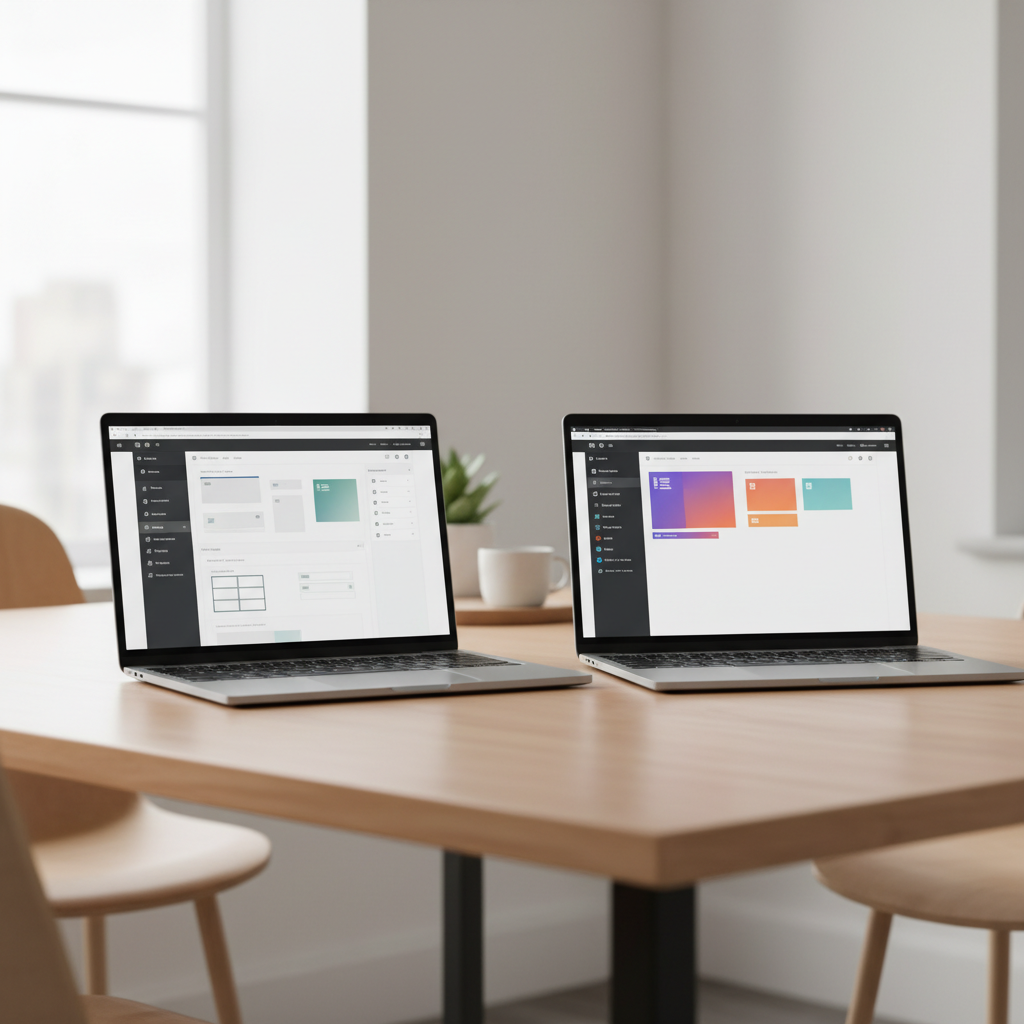
TL;DR:
- Choose Webflow if you need a fast, design led marketing site with light to moderate content and want hosting, security, and updates handled for you.
- Stick with WordPress if you’re running a content engine (hundreds or thousands of posts) or rely on complex publishing workflows and custom integrations.
- Biggest trade off for Webflow: less ideal for very complex, app like experiences or legacy system integrations that need deep backend control.
- Biggest trade off for WordPress: more maintenance and technical overhead as plugins, themes, and vendors accumulate over time.
Quick answer: Who should choose what?
For a lot of scaling businesses, this is the pattern we see in practice when they’re comparing “wordpress vs webflow” options:
- Webflow works beautifully for design led brands, B2B SaaS, and organizations that want a high converting marketing site, clean code, and fewer plugins to babysit. It gives designers and marketers a visual canvas while it writes production ready HTML, CSS, and JavaScript behind the scenes, as described in Webflow's website builder overview.
- WordPress tends to win for heavy content operations, complex workflows, or teams that rely on its plugin ecosystem (membership sites, LMS, custom apps, etc.).
The right answer usually depends less on “which tool is better?” and more on “what will our internal team actually run well for the next 3–5 years?”
At Setsail, our web design & development team builds in Webflow and WordPress (and Shopify) and fits the platform to the business model, not the other way around.
“The win isn’t choosing the flashiest tool it’s choosing the platform your team can run well for the next 3–5 years.”
What are Webflow and WordPress, really?
Webflow in a sentence
Webflow is a hosted visual website builder and CMS. You design in a browser-based interface, and it generates clean front end code while handling hosting, security, and performance for you.
WordPress in a sentence
WordPress is an open source content management system you can install on virtually any server, extend with thousands of themes and plugins, and customize to do almost anything from blogs to complex web apps.
That philosophical difference matters for scaling: Webflow is a managed environment with opinions; WordPress is the “build anything” toolkit with a massive community and ecosystem behind it.
Key factors for a scaling business
High level comparison of Webflow vs WordPress for scaling businesses
In most projects, Webflow wins on launch speed, design control, and low maintenance stability, while WordPress pulls ahead for complex content operations and integrations.
1. Speed of launching and iterating
With Webflow, design, layout, and front end development live in one place, so designers can ship new sections and landing pages while marketers update copy inline, shortening feedback loops. In WordPress, build speed depends on your theme, page builder, and plugins; setup takes longer and technical debt grows without tight governance.
2. Design flexibility and brand control
Webflow is often the favorite for design led brands because you’re working almost “at the CSS level” visually layout grids, interactions, and components are all under your control without custom code for most use cases.
WordPress can match that flexibility, but usually by layering on a visual builder (Elementor, Gutenberg, etc.) and a premium theme. That works well, but over time it can create inconsistency as different editors tweak layouts.
3. Content management and editorial workflows
For content heavy teams think hundreds or thousands of posts, multi author blogs, or complex taxonomies WordPress still feels like home. It was built as a publishing platform with mature roles, permissions, and editorial plugins.
Webflow’s CMS is powerful for collections like “Blog posts,” “Case studies,” or “Locations,” but it’s not trying to replicate every enterprise newsroom feature. For many mid market businesses, that’s more than enough; for true media companies, WordPress usually pulls ahead.
4. Performance, SEO, and Core Web Vitals
Out of the box, Webflow gives you lean front end code and global hosting, which supports strong Core Web Vitals and SEO. WordPress can be just as fast with a lightweight theme, caching, and solid hosting, but it’s easier to bloat as plugins and scripts accumulate.
5. Integrations and your marketing stack
WordPress integrates with almost everything through plugins or APIs, including CRM systems, marketing automation platforms, membership tools, LMS solutions, and event software. This flexibility also makes it a strong option for businesses building an omnichannel Headless CMS strategy across multiple digital touchpoints. Its massive plugin ecosystem is one of the main reasons WordPress continues to dominate global CMS market share, according to independent studies.
Webflow integrates through native apps, custom code embeds, and tools like Zapier and Make; for most mid sized setups forms to CRM, basic automation, analytics, and ad tracking it’s more than enough. If you’re stitching together niche tools or legacy systems, WordPress may give developers more flexibility.
6. Security, maintenance, and risk
With Webflow, the hosting stack, SSL, and security are handled for you; your job is mostly to manage users and access. With WordPress, responsibility is shared across core, hosting, and plugins: the core software has a strong security track record, but outdated plugins and themes are a common weak spot. If your team doesn’t have a clear maintenance plan or a partner like web design & hosting that risk grows over time.
7. Total cost of ownership as you scale
Webflow uses predictable site and workspace subscriptions that bundle hosting and core security updates; you mainly pay more as traffic or features grow. WordPress itself is free, but you fund hosting, premium themes, plugins, maintenance, and the occasional rescue project when something breaks. Compare total cost over 3–5 years licenses, hosting, and internal or agency time not just the monthly subscription line.
Scaling scenarios: Webflow vs WordPress in the real world
Scenario 1: Content-heavy, SEO-first brands
If your growth playbook looks like “publish constantly, own our category in search, and build a content moat,” WordPress usually edges ahead. Its editorial tools, SEO plugins, and established workflows make it a natural choice for media style teams, and resources like TechRadar’s overview of WordPress reflect that heritage.
At 1,000+ posts, features like bulk editing, custom taxonomies, revision history, brand guidelines, and granular user roles matter a lot. WordPress’ ecosystem of editorial plugins and search tools makes it easier to clean up old content, consolidate thin posts into stronger hubs, and manage large, evolving content libraries. Webflow can still support aggressive publishing, but at true media scale WordPress tends to be more comfortable.
Scenario 2: Brand led, conversion focused sites
For B2B, professional services, or government and utility clients where a handful of key journeys matter more than sheer content volume Webflow often wins. You get tight control over layout, motion, and storytelling, plus a managed stack that keeps the site fast and stable for campaign traffic spikes.
After we overhauled No Fear Counselling’s digital experience, they saw a 200% increase in online bookings, a 60% rise in conversions, and 85% more mobile engagement on a HIPAA compliant healthcare platform serving mental health clients across Vancouver.

“No Fear Counselling saw 200% more online bookings, 60% higher conversions, and 85% more mobile engagement after their redesign.”
Scenario 3: Complex requirements and legacy systems
If you’re integrating with custom or legacy systems or building advanced membership experiences, WordPress’ openness can be a real advantage. Developers can host anywhere, customize at any layer, and even run headless setups with a JavaScript front end, thanks to WordPress’s open source architecture.
In these cases, we often recommend WordPress with a lean, carefully curated plugin stack, supported by our full funnel performance marketing team so the site and campaigns stay in sync.
Common mistakes when choosing a platform
- Picking based on a single loud opinion. “Our last freelancer liked X” is not a strategy. Start from business goals, internal skills, and growth targets.
- Underestimating maintenance. WordPress without a maintenance plan is like a car without oil changes. Webflow without an owner for content and strategy is just a static brochure.
- Chasing trends instead of fit. A headline about a new feature or AI add‑on shouldn’t outweigh questions like “Who will own this day to day?” and “How does this tie into our overall marketing strategy?”
How our team uses the 4 Lens Platform Fit Scorecard
Internally, we use a simple scoring model the 4 Lens Platform Fit Scorecard when we scope a new website or redesign:
- Growth model: Where will most of your traffic and leads come from in 12–36 months SEO, paid, referrals, outbound, or partnerships?
- Team capacity: Who will own edits marketing, design, IT, or an external partner?
- Complexity: Do you need “site + blog” or something closer to an application?
- Risk tolerance: Are you comfortable running your own stack, or do you want a managed platform?

Webflow fit
Best when you want a managed, design forward marketing site your team can update quickly without worrying about hosting and core maintenance.
WordPress fit
Best when you need heavy publishing, complex content structures, or deep custom integrations and have the resources to maintain your stack.
Once we’ve answered those questions, the scorecard usually makes the choice obvious: we map your growth model, team, complexity, and risk to each platform’s strengths and recommend the one that best supports revenue.
FAQ:
Is Webflow better than WordPress for SEO?
Both can rank extremely well. Webflow gives you clean markup and fast hosting; WordPress gives you powerful SEO plugins and long standing publishing workflows. The real difference is in your technical setup, site architecture, and content strategy not the logo on the login screen.
Which is easier for non technical teams?
For content only edits, both are approachable. Many marketers like Webflow’s inline editor because it shows changes right on the live layout. Others prefer the familiarity of the WordPress dashboard. If your team already knows one, factor that muscle memory into your decision.
Is Webflow cheaper than WordPress in the long run?
It depends how disciplined your WordPress setup is. A lean WordPress build on solid hosting can be very cost effective; a plugin heavy, frequently broken site is not. Webflow’s subscription looks higher on paper, but it bundles hosting, security, and core maintenance, so the winner usually comes down to how complex your stack becomes.
Should we move our existing WordPress site to Webflow?
A migration makes sense when:
- Your WordPress stack is slow, fragile, and nobody wants to touch it.
- Your site is more “marketing site + light blog” than full media property.
- You want your design and marketing team to ship changes faster, without adding more plugins.
If you’re already running a healthy, well maintained WordPress install that’s central to your content machine, rebuilding it just because Webflow looks shiny rarely pays off.
Next steps
Webflow and WordPress are both powerful. The win comes from choosing the one your team can run consistently while tying it back to clear targets for leads, revenue, and customer experience.
If you’d like a second set of eyes on that decision, our web design & development team in Vancouver can audit your current site, clarify the long term cost tradeoffs of each option, and recommend a platform and roadmap aligned with your growth goals.
Jason Atakhanov
August 18, 2026
Recent Posts:

A Complete Guide to Corporate Video Production: Strategy, Process & ROI
Learn how corporate video production works, from strategy, storyboarding to filming, plus how to measure real ROI for your business.
Video Production Process: Guide for Marketing Teams
A complete guide to the video production process from pre production strategy to post production delivery, so your marketing team can execute with confidence.
How Much Does Website Design Cost in 2026?
Discover how much does website design cost in 2026 and what businesses should expect to pay for professional website design services with impacts.